
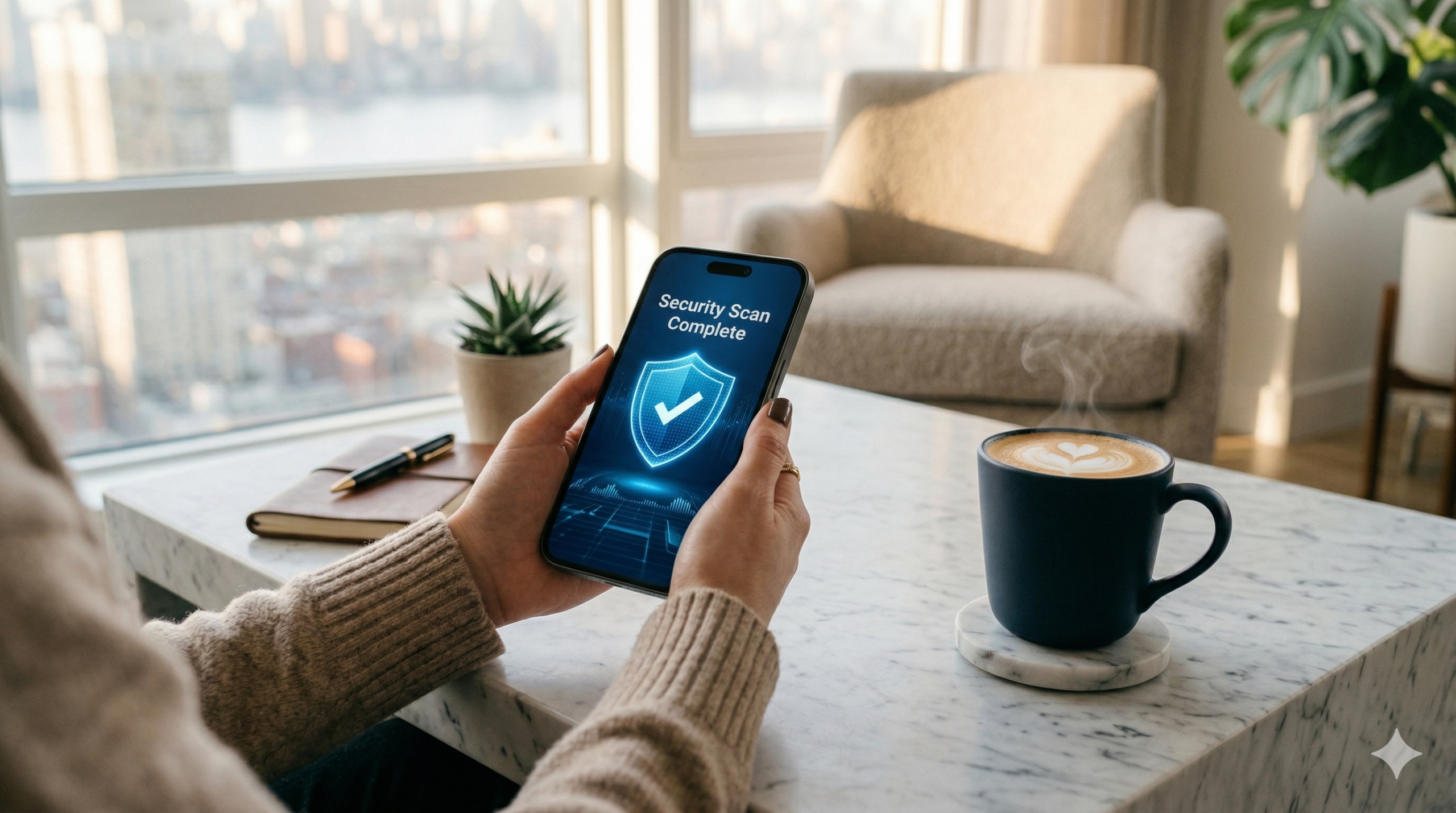
Hackers now use agentic AI to scan your digital life around the clock. Here is how to fight back in half an hour — no tech degree required.
The New Reality of 2026
In 2026, cybercriminals have upgraded their weapons. They are no longer guessing your password from a list of common combinations.
They are deploying agentic AI — autonomous software that scans your entire digital life 24 hours a day, 7 days a week, hunting for the slightest crack in your defenses.
It cross-references leaked databases, monitors your public social profiles, and tests your accounts with terrifying speed and precision.
Traditional security advice — “use a strong password and change it every 90 days” — was written for a slower era. The threat has evolved. Your defense must too.
The good news? You do not need to be a cybersecurity expert.
You can spend exactly 30 minutes this Saturday morning to armor your financial accounts using the very same AI technology that bad actors are using against you. Here is your step-by-step audit.
Digital security is only half the battle; staying compliant with the IRS and CRA is the other. Check out our AI-Powered Tax Audit Guide to ensure your filings are as secure as your passwords
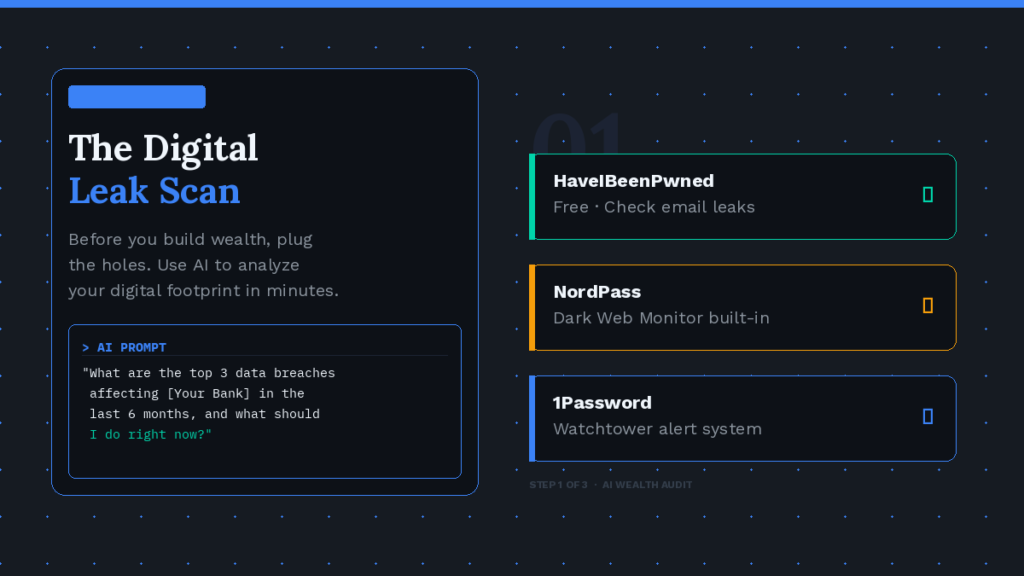
The “Digital Leak” Scan
Before you can build real wealth, you have to plug the holes. Think of your digital footprint like a boat: it does not matter how fast the engine is if there are cracks in the hull. Your first 10 minutes are about finding those cracks.
The most powerful thing you can do right now is open ChatGPT or Claude and paste in a targeted prompt.
AI can instantly synthesize public breach reports, cybersecurity advisories, and consumer alerts — work that would take you hours of manual research — and return specific, actionable steps tailored to your exact situation.
Replace the bracketed placeholders with your real bank and carrier. The AI will return a personalized action list. Follow it.
Next, head to a breach-checking tool to see if your email address or phone number has already been compromised in a known database leak.
If any of your credentials show up as compromised, do not panic. Make a note, and you will address them in the next step. The goal of this first 10 minutes is awareness — knowing exactly where you stand before you start fixing things.
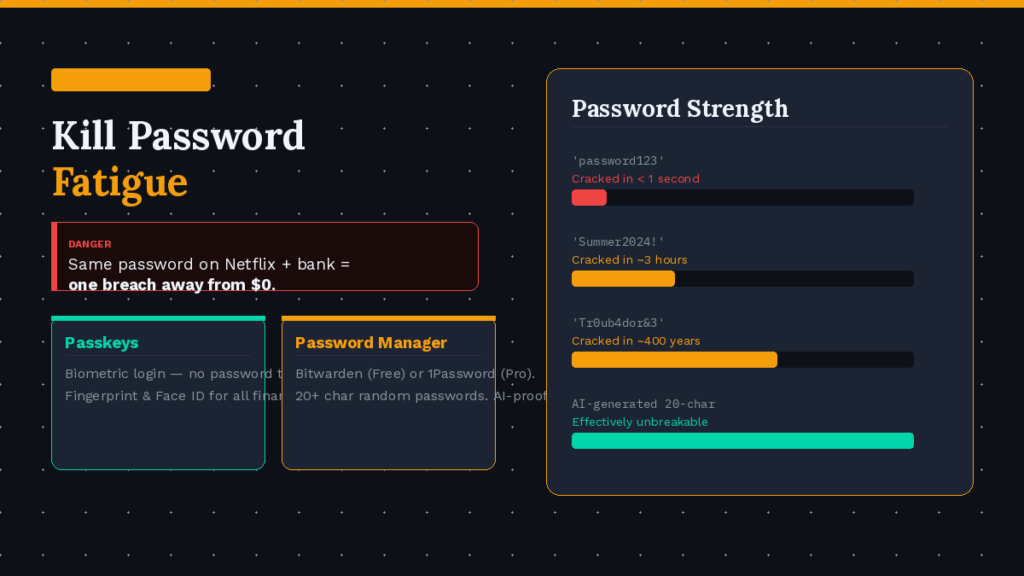
Kill the “Password Fatigue”
This is where you move to a Zero-Trust model for your passwords. Zero-Trust means you assume every password has already been compromised somewhere, and you design your security accordingly.
Step one: Switch to Passkeys. In 2026, the traditional password is a dying technology.
The biggest financial platforms — including Chase, Apple Pay, and Google Pay — now support Passkeys, a biometric login system that uses your fingerprint or Face ID.
There is no password to steal, no database to breach, and no phishing link that can fool it. Check your banking apps’ security settings this morning and enable Passkeys wherever available. It takes about 60 seconds per app.
Step two: Let an AI-powered manager handle the rest. For every account that does not yet support Passkeys, you need a unique, randomly generated password that is at least 20 characters long.
A modern AI cannot brute-force a 20-character random string within any practical timeframe. You cannot remember 50 of them. A password manager can.
Both options are rated among the top password managers for 2026. Install one, import your existing passwords, and let it flag every duplicate or weak entry.
Then replace them, one by one, starting with your most sensitive financial accounts. This single habit closes the door on the majority of credential-based attacks.
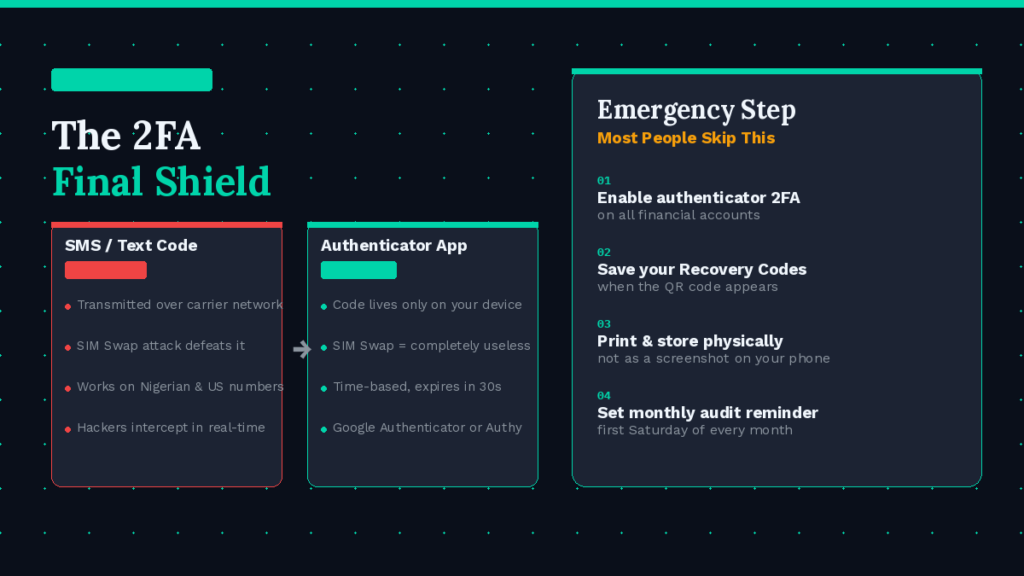
The 2FA “Final Shield”
Even with a strong unique password, there is one more layer you need. Two-Factor Authentication (2FA) requires a second piece of proof — beyond your password — before allowing access to your account.
You have probably been using it for years via SMS text message codes. Here is the problem: that method is no longer safe.
The solution is to replace SMS-based 2FA with an authenticator app. These apps generate time-sensitive codes directly on your device that are never transmitted over the phone network, making SIM swapping completely ineffective against them.
Log into each of your financial accounts, navigate to the security settings, and switch the 2FA method from “Text message” to “Authenticator app.” Link it to Google Authenticator or Authy by scanning the QR code the site provides. Done.
The emergency step most people skip: Every platform that offers authenticator-based 2FA will also give you a set of Recovery Codes when you set it up.
These are one-time-use backup codes for when you lose your phone. Print them out or write them down and store them somewhere physically secure — not as a screenshot on your phone, not in a cloud note.
A small envelope in your home file folder works perfectly.
Now that your digital perimeter is secure, it’s time to focus on the offensive side of your finances. Explore the 2026 AI Side Hustle Stack to see how to fill your newly secured accounts with three fresh income streams.
Consistency > Complexity
Financial security in 2026 is not a one-time event. It is a monthly habit, the same way checking your bank statement is a habit. The attackers are running their scans continuously.
Your defense needs to be recurring too.
1 Right now: Open your calendar and set a recurring event — “30-Min Security Audit” — for the first Saturday of every month. Make it non-negotiable.
2 Each session: Re-run your HaveIBeenPwned check, review any new breach alerts from your password manager, and rotate the password for any account flagged as compromised.
3 Quarterly: Check for new apps on your financial accounts that you did not authorize, and review which third-party services have access to your bank or email data.
The people who get financially hurt in the AI era are not the ones who lack technical knowledge.
They are the ones who set up their security once and assume it holds forever. Thirty minutes a month is a small price to protect everything you are building.
Leave a Reply